Best Tools for Creating Texting-Story Videos Online

Introduction
When creators want to tell a story in a texting format, the right online tools can make all the difference. This guide kicks off with Convoclip as the first option and then compares several popular tools that help you craft engaging texting-story videos quickly and with polish. Whether you’re making short-form content for Shorts, TikTok, or Instagram Reels, these tools are built to streamline the process and keep your viewers hooked.
Why texting-story videos matter
Texting-story videos blend narrative with quick visual cues, letting you show a conversation as a timeline of events. They are ideal for quick storytelling, brainstorms, or playful takes on everyday life. The best tools reduce friction: drag-and-drop interfaces, pre-made chat templates, animated stickers, and fast rendering. The goal is to get your story from idea to publish with minimal setup and maximum impact.
Convoclip:
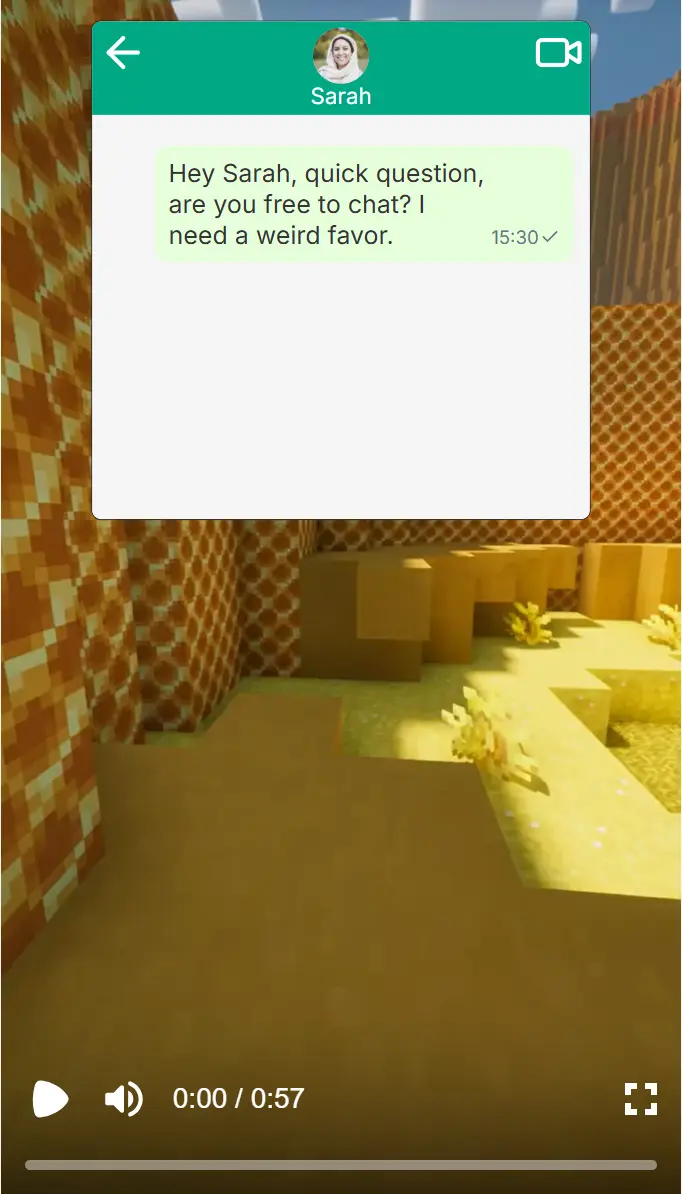 Convoclip is designed for creators who want a fast path to texting-story videos. It emphasizes chat-driven layouts and modular scenes, so you can assemble a narrative similar to a real chat transcript. Pros include:
- Intuitive chat-style templates that feel native to social feeds
- Quick export in standard vertical formats for Shorts and Reels
- Built-in voiceovers and caption options to boost accessibility
How Convoclip stacks up:
- Ease of use: High for beginners, with guided templates.
- Customization: Moderate; templates are strong, but deep customization may require tweaking.
- Speed: Very fast, ideal for rapid publishing.
Other online tools to consider
Below we explore several popular tools that creators pair with Convoclip to build texting-story videos. Each has its own strengths and is suitable for different workflows.
Kapwing
Kapwing offers a robust suite of video editing features with easy text overlays, meme templates, and chat-style scenes. It’s excellent for collaboration and quick edits.
- Pros: Simple interface, good template library, flexible exports.
- Cons: Some features are locked behind paid plans; export times can vary with project size.
InVideo
InVideo focuses on templates and automated scenes, which can be great for turning a texting concept into a polished video quickly. It’s particularly strong for marketing-style edits and voiceover options.
- Pros: Strong templates, AI-assisted ideas, scalable for channels with frequent uploads.
- Cons: May feel template-heavy if you crave unique aesthetics.
Animaker
Animaker is a full-featured animation tool that can craft chat-based narratives with character animations and custom scenes. It’s perfect if you want a playful or branded vibe.
- Pros: Rich character animation, diverse scene kits, brand kit support.
- Cons: Learning curve can be steeper for new users.
Biteable
Biteable shines with concise templates and a fast render cycle, making it a good choice for quick texting-story clips. It’s especially handy for social media campaigns.
- Pros: Quick to learn, fast exports, clean visuals.
- Cons: Fewer advanced editing options than some competitors.
Veed
Veed provides a modern, web-based editor with strong subtitle and captioning features. It’s useful when your texting-story needs strong accessibility and clear dialogue.
- Pros: Subtitles and translations, straightforward UI, good for team reviews.
- Cons: Some advanced tools require premium access.
FlexClip
FlexClip focuses on simple storytelling with ready-made templates and a straightforward timeline. It’s well-suited for creators who want a no-fuss workflow.
- Pros: Straightforward, inexpensive plans, reliable results.
- Cons: May lack deeper customization for power users.
How to choose the right tool for your texting-story video
Choosing the right tool depends on your goals, budget, and how often you publish. Here’s a quick decision guide:
- If speed and simplicity are your priorities: Convoclip plus Kapwing or Biteable.
- If you want strong templates with professional polish: InVideo or Animaker.
- If animation and character-driven storytelling fit your brand: Animaker.
- If accessibility and accurate captions matter most: Veed.
- If you’re testing formats and want budget-friendly options: FlexClip.
A practical workflow: from idea to publish
- Start with a clear concept: outline the texting narrative, key beats, and the voice you want.
- Draft a script that mirrors natural texting, using short lines and reactions to drive pacing.
- Choose Convoclip as your primary editor to lay out the chat scenes quickly.
- Bring in templates from a secondary tool (e.g., Kapwing) for additional styles or overlays.
- Add captions and accessibility features to ensure readability on mobile.
- Preview on multiple devices to verify legibility and pacing.
- Publish with optimized metadata: catchy title, descriptive description, and relevant keywords.
Tips to maximize engagement
- Keep each chat panel visually distinct to aid readability on small screens.
- Use color-coded bubbles to differentiate speakers and emotions.
- Add ambient music or subtle sound effects to heighten tension without overpowering dialogue.
- Include a clear CTA in the last frame to guide viewers to your channel.
Final thoughts
Texting-story videos are a compelling way to tell micro-stories with clarity and humor. By starting with Convoclip and leveraging a mix of the other tools described, you can tailor your workflow to your comfort level and output pace while delivering crisp, engaging videos that perform well on Shorts, Reels, and other social formats.
About the author
Convoclip leads the piece, sharing practical tips for creators who want fast, reliable results without sacrificing storytelling quality. This guide is written in a friendly, conversational tone to help both new and experienced editors navigate the world of online texting-story tools.